

Your drivers, your orders, without a WhatsApp group
The driver opens the portal on their phone, takes a job, departs with a computed arrival time and collects at the door. The customer follows the state of the order on a page, with no account.
- Driver portal on the phone
- Arrival time computed on departure
- Payment taken at the door
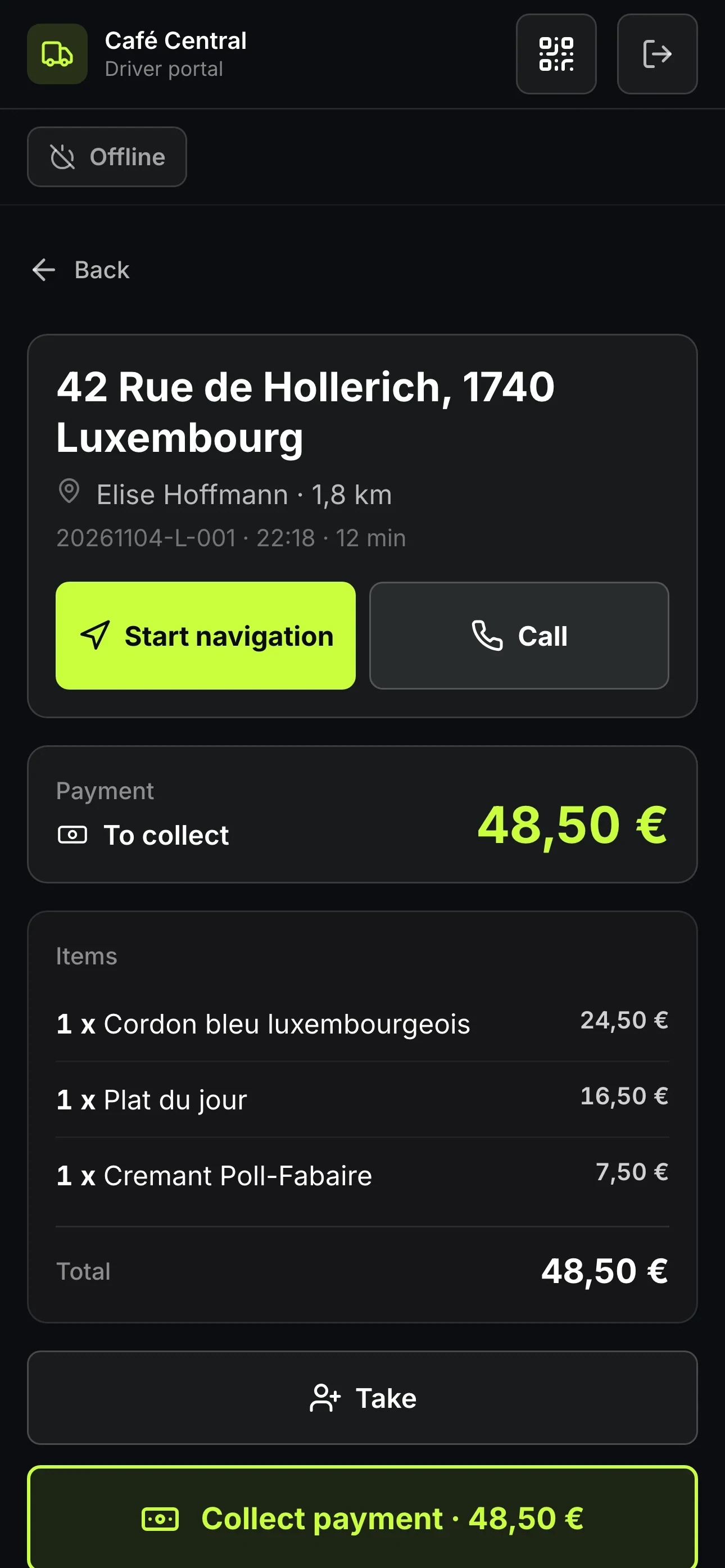
Driver view with address and amount to collect
Delivery is still run on the phone and from memory
Cold goods, a refund, a bad review, and afterwards nobody knows where the time went.
- The customer calls to ask where the order is, and nobody can answer.
- No one remembers which driver left with which order.
- Cash comes back at the end of service and matches nothing on the receipts.
- Every address is typed into a map app by hand.
Delivery stops running on memory
Fewer calls, deliveries closer to time, and a record of what was delivered when.
What it looks like in your business
Food has to arrive hot, so every minute of the route counts.
Click and collect and same-day delivery, out of the same stock.
Fixed morning rounds, always the same addresses.
- Pizzerias and restaurants delivering with their own drivers.
- Snack bars and caterers running several rounds per service.
- Shops delivering in their own neighbourhood without a platform in between.
- Businesses that want to stop tracking deliveries in a messaging group.
One job, from departure to the door
Assign deliveries, the driver gets their own view with address, distance and amount to collect, the customer follows the route on a page with no app.
The driver opens the portal
The portal opens in the phone's browser and adds itself to the home screen. The driver goes online and takes a job, or releases it again.
They depart with an arrival time
The route is computed on departure. If an email address is on the order, the customer gets the tracking link at the same moment.
They collect and mark it delivered
Cash, card or split, change calculated, a digital receipt sent if the customer wants one. The order moves to delivered, with the time and the name of the person who delivered it.
What it looks like in service
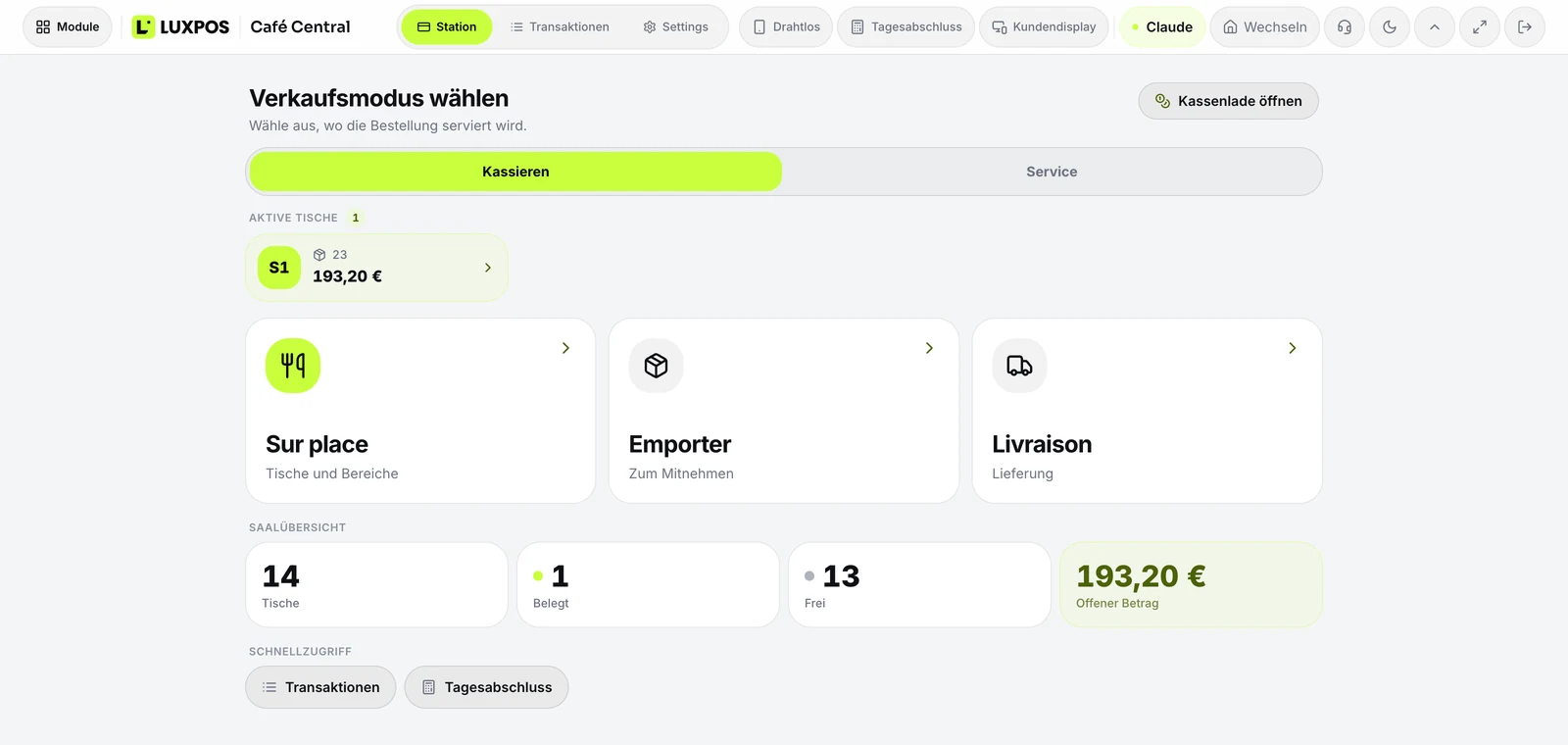
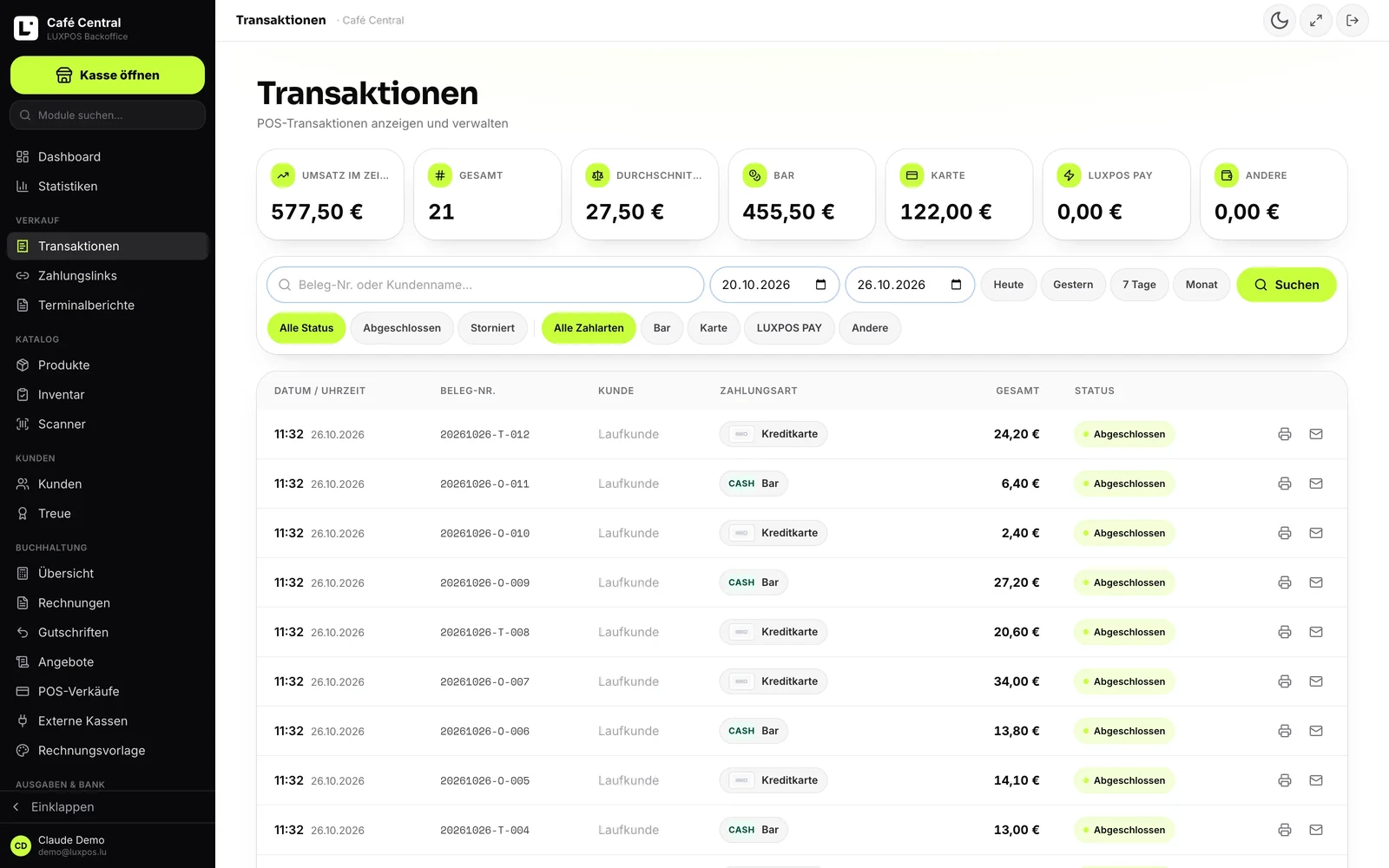
Every image comes from a live account — booked receipts, open tables, finished payslips. No drawn mockups.
Till
Transactions
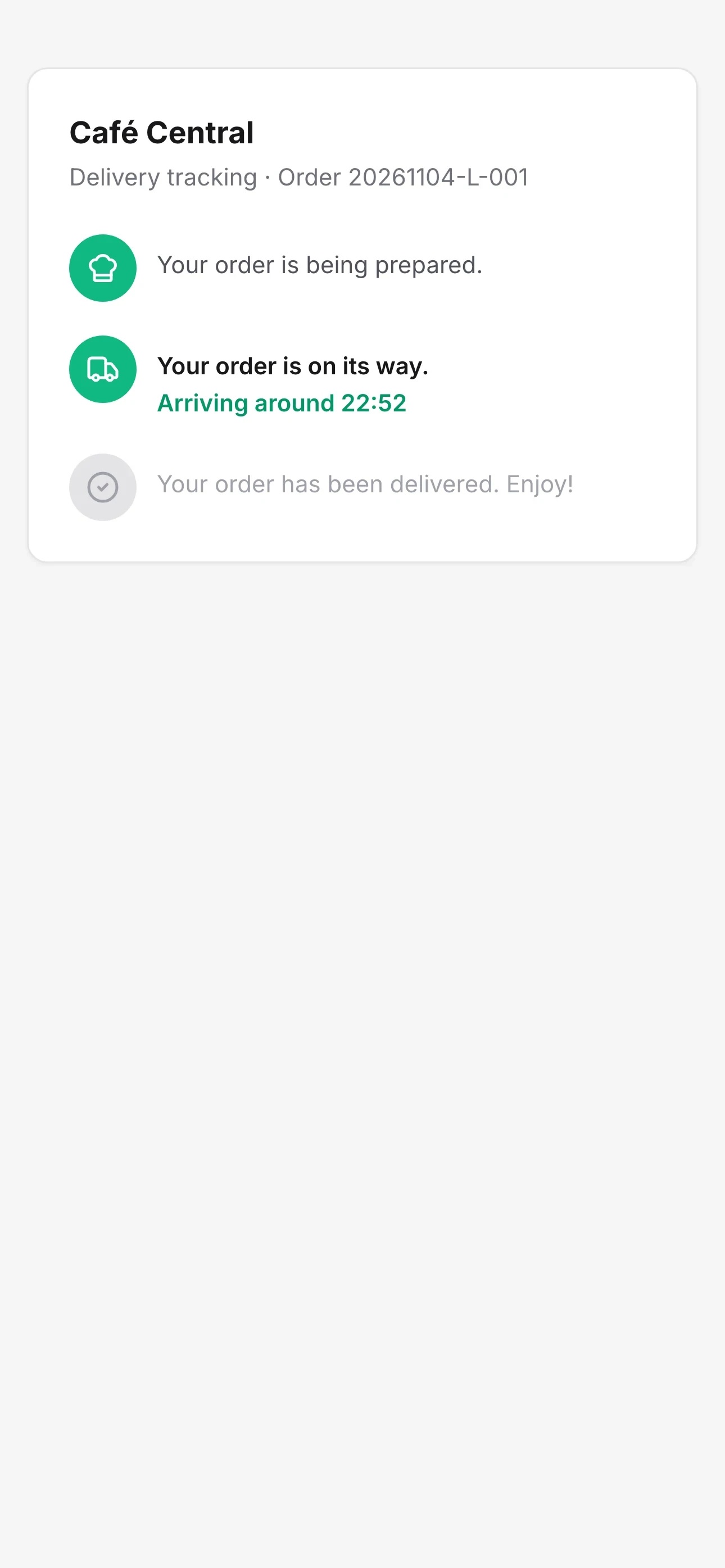
What the customer sees while tracking
Fewer calls, deliveries closer to time, and a record of what was delivered when.
From the delivery slip to the payment at the door
Two surfaces: a portal for the driver on the phone, and an overview for you in the office. Both work on the same orders.
The driver portal
Jobs as large cards in three tabs: open, on the way, delivered. Each job shows the amount to collect or a paid marker, the distance, the time and the phone number. The portal adds itself to the phone's home screen, there is nothing to install from an app store.
Navigation and arrival time
One button opens the map app with the address, another calls the customer. On departure the address is geocoded if needed, the route is computed from the driver's position, and a real arrival time replaces the one picked by hand.
Collecting at the door
Cash, card or a split payment, with the amount given and the change calculated. The collection goes through the same till as the counter, so the sale is a real sale, and a double tap never creates two receipts.
Finding the right order
The printed delivery slip carries a DataMatrix code: the driver scans it and the order opens. If the code is damaged, the slip number can be typed by hand.
The customer follows without an account
If the order carries an email address, a message goes out on departure with a tracking link. The page shows the business name, the order number, one of three states and the arrival time. Neither the address nor the line items appear on it.
The view from the office
A live map of active drivers, the path driven on a chosen day, a trip logbook per driver with their deliveries, and route planning that puts up to ten stops in order and returns the kilometres, the minutes and the stops it had to skip for missing coordinates.
Tracking in the customer's language
In Luxembourg two customers on the same street do not read the same language. The tracking message is written in five languages and goes out in the language of the order.
- Tracking message in French, German, English, Italian and Portuguese.
- French is the default when the order names no language.
- Delivery slips are numbered by day, which keeps the end-of-service reconciliation simple.
- The tracking page asks for no account and shows neither address nor line items.
Delivery questions
- Does the driver have to install an app?
- No. They open the portal in the phone's browser and add it to the home screen, where it behaves like an app. There is nothing to download from a store.
- Can the driver take payment at the door?
- Yes, in cash, by card or as a split payment, with the change calculated. The collection goes through the same till as the counter, so the sale appears in the transactions and in the daily report.
- Does the customer see the driver on a map?
- No. The tracking page shows the business name, the order number, the state and the arrival time, deliberately without the address or the line items. The live map stays in the back office.
- Are there delivery fees and zones?
- No, and we would rather say so: for your own delivery LUXPOS has no delivery fees, no zones, no radius and no minimum order value. Those rules stay yours and end up in the price of the order.
- How is the delivery evidenced?
- The order keeps the delivery time and the name of the person who delivered it, and the customer can receive a digital receipt by email. There is no on-screen signature and no photo at the door.
- Who can open the driver portal?
- Any active member of staff. There is no separate driver role with reduced rights, so hand out the access knowingly.
The other modules
Run one delivery with us
We open the portal on your phone and follow an order from departure through to the payment at the door.