

Several branches, one account, separate figures
Each site keeps its address, its code, its tills, its stock and its numbering. You keep the overview: revenue, transactions and tills per branch.
- Branch code on the tickets
- Stock and thresholds per site
- Revenue per branch and in total
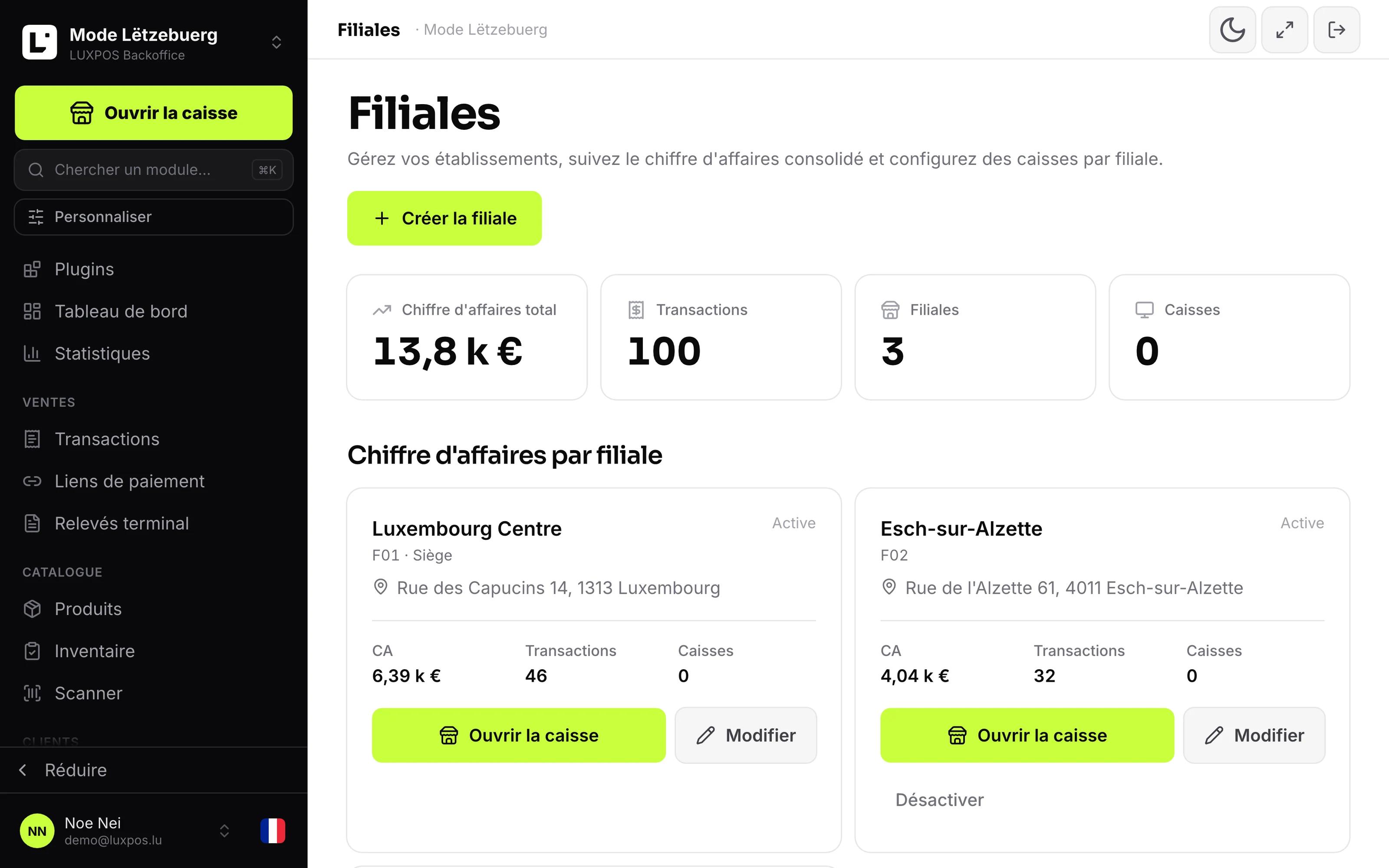
Revenue per branch side by side
Two addresses, two systems and no common view
Prices drift apart, goods get bought twice, and you can never really compare.
- Each site has its own account, so two subscriptions, two catalogs and two exports.
- Ticket numbers overlap between sites and nobody can tell where a document came from.
- The stock in the main shop and the stock in the branch are the same line in the software.
- Comparing two branches means two windows and adding up by hand.
Two houses, one truth
You compare branches on the same basis and maintain prices only once.
What it looks like in your business
Two venues with one menu, but separate figures.
Shop and warehouse as separate stocks, with transfers in between.
- Restaurants or cafés with a second address, or a terrace run separately.
- Boutiques and grocers opening a branch in another commune.
- Bakeries and caterers with several outlets and a workshop.
- Operators who want billing per site but a single administration.
Opening a second branch
One account, several branches. Products and prices centrally, revenue per branch, transfers between sites.
Create the branch
Name, short code, address and, if needed, a VAT number of its own for that site. The branch appears straight away in the switcher and on the map.
Attach the devices
Tills, printers and preparation stations are configured from the branch record. Floor plan and table ordering are set per site.
Read the figures separately
The branch switcher changes the view for reports, products and stock. The branches page itself shows the total and the breakdown per site.
What it looks like in service
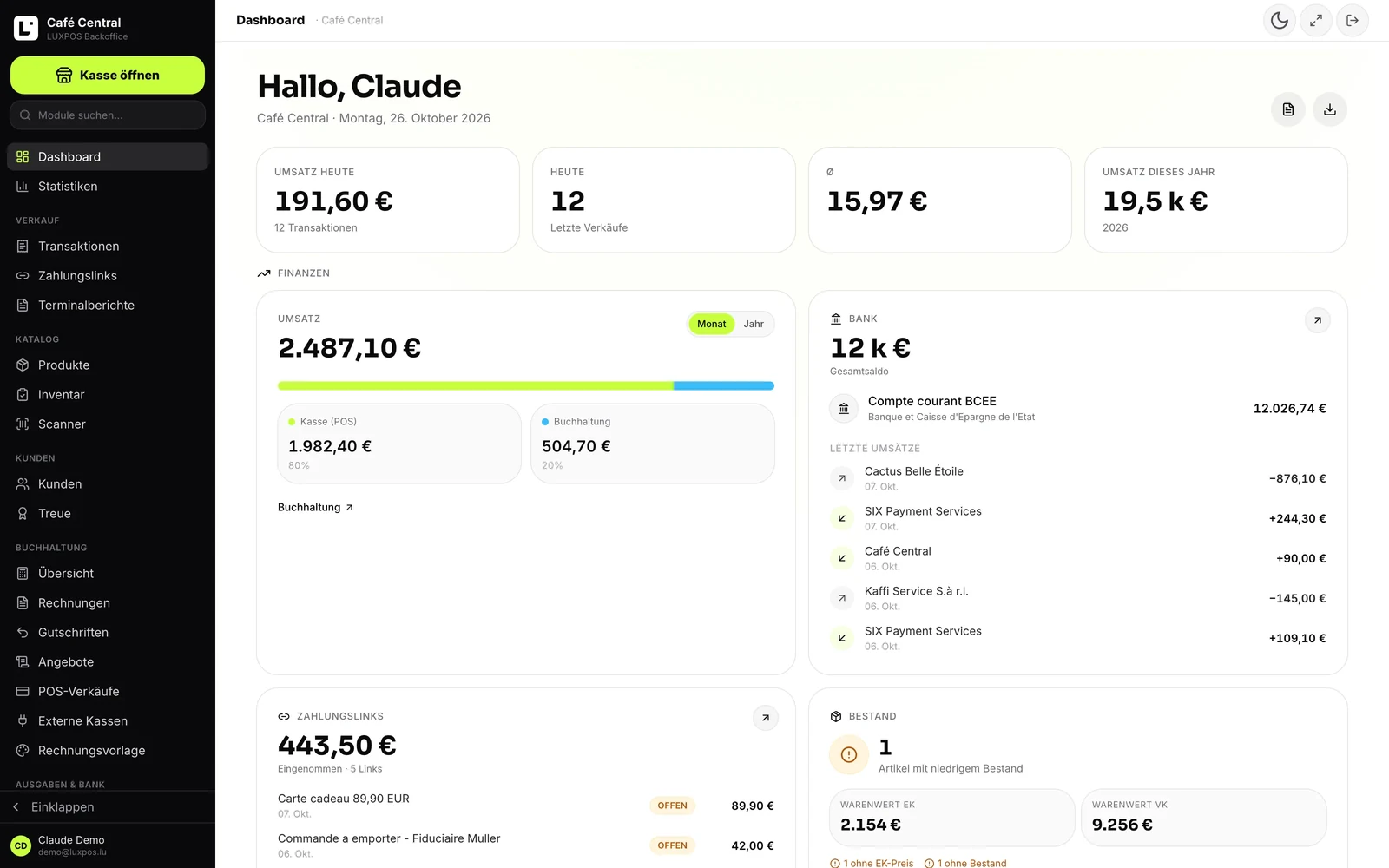
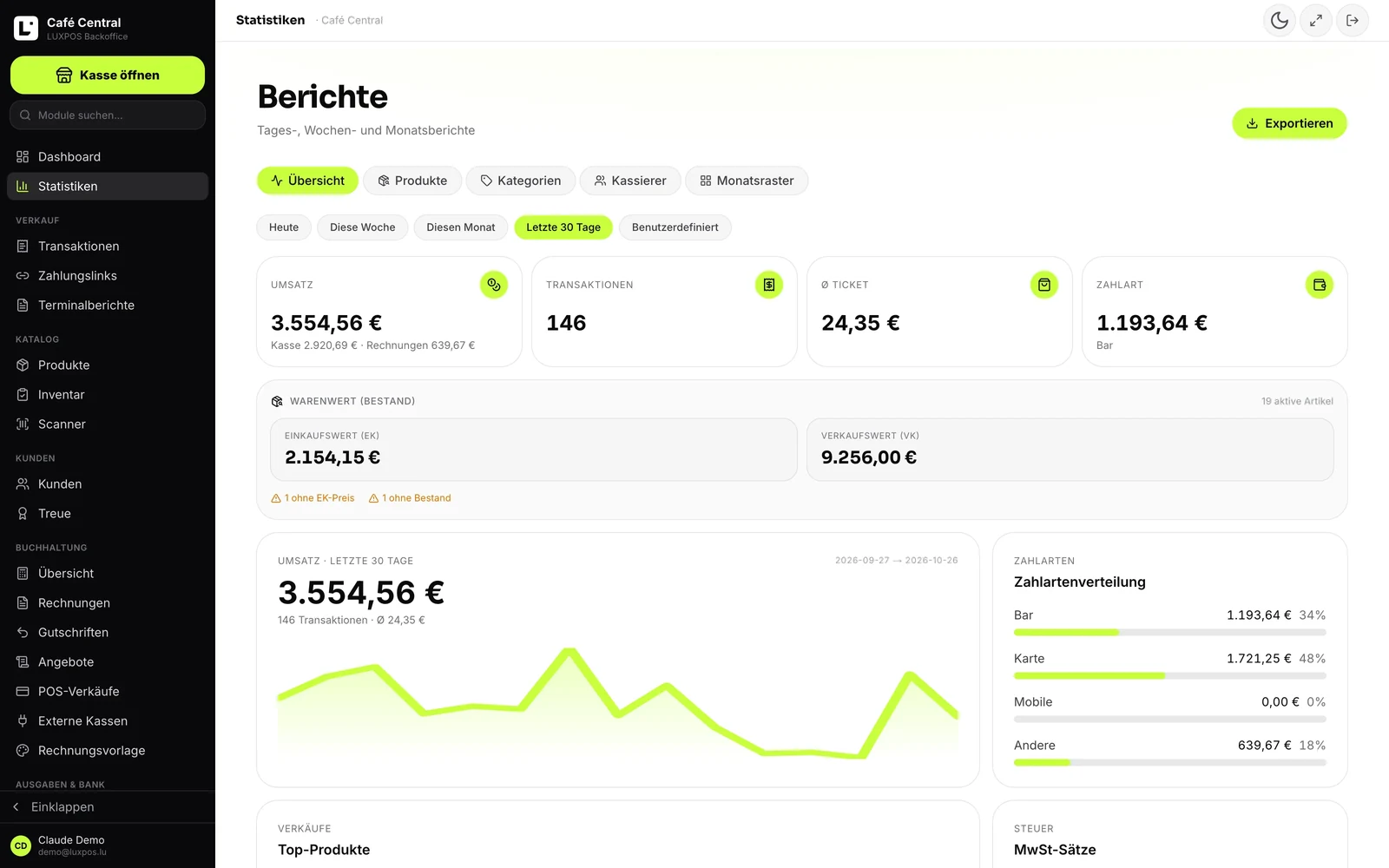
Every image comes from a live account — booked receipts, open tables, finished payslips. No drawn mockups.
Back office
Reports
An account that knows which branch it is talking about
The branch is not a label stuck on afterwards: it is carried by till sessions, transactions, orders, kitchen tickets, stock, expenses, invoices and payslips.
The branch record
Number, name, optional short code, full address, phone and email, map coordinates, a headquarters marker and an active flag. The headquarters branch is created automatically, and neither it nor the last active branch can be deactivated.
Numbering that tells you something
The branch code is printed in front of that site's ticket and invoice numbers, for example ESCH. With no code, LUXPOS falls back to a number such as F01. The daily report header carries the branch code and name, and invoices, expenses and payslips each have their own number sequence per site.
Stock per site
Every branch has its own quantity and its own low-stock threshold. The product list and the stock value can be read per branch, and a sale books out of the branch that took the money.
Tills, printers and kitchen per site
Tills, printers and preparation stations belong to one branch, or to all of them if you prefer. Till configuration, floor plan and whether guests can order at the table are set per branch: a house often opens QR ordering in one venue only.
The overview
Total revenue, transactions, number of branches and number of tills, a revenue-per-branch table with transactions, tills, active state and a headquarters marker, and the venues on a map.
A home branch per staff member
Every team member has a home branch, which is used to filter the staff list by site.
What Luxembourg asks for on top
Several establishments in Luxembourg means documents have to be traceable to one site, sometimes with their own tax identification.
- Each branch can carry its own VAT number on the invoices.
- The branch code, for example ESCH, sits in front of that site's ticket and invoice numbers.
- Invoices, expenses and payslips have their own number sequence per branch.
- The daily report names the branch code and the branch name in its header.
Multi-branch questions
- Can I set different prices per branch?
- No. A price is not tied to a branch. Price variation exists by customer group, by quantity tier or as a negotiated price for one customer, not by site.
- Can stock be transferred between branches?
- No. You can set each branch's quantity independently, but there is no transfer movement between sites.
- Does a salesperson only see their own branch?
- No, and that is worth knowing: the home branch filters the staff list, it does not restrict what a team member can look at.
- Is the accounting separated per branch?
- Invoices, expenses and payslips carry the branch and have their own numbering, but the ledger and the annual accounts are not split by site. Reports, products and stock and the kitchen honour the branch; the delivery list and the accounting do not.
- What does an extra branch cost?
- Multi-branch is part of the largest plan, and each additional active branch costs 69 euros per month. The branches page shows the effect on your subscription before you confirm, and the difference is prorated.
- Can the catalog be copied to a new branch?
- There is no function to copy a catalog or menu to another site. The catalog belongs to the account; what differs per branch is stock, devices and till configuration.
The other modules
Show us your two addresses
We set up a second branch with its code, its tills and its stock, and you see straight away what the figures per site look like.