

Stocktaking during service, not on a Sunday night
The till already books out every sale. What is left is counting what is really on the shelf: LUXPOS queues the products that are due, you type the quantity or scan the barcode, and the difference is recorded.
- Stock value at cost and at retail
- Counting with the phone scanner
- A log of every movement
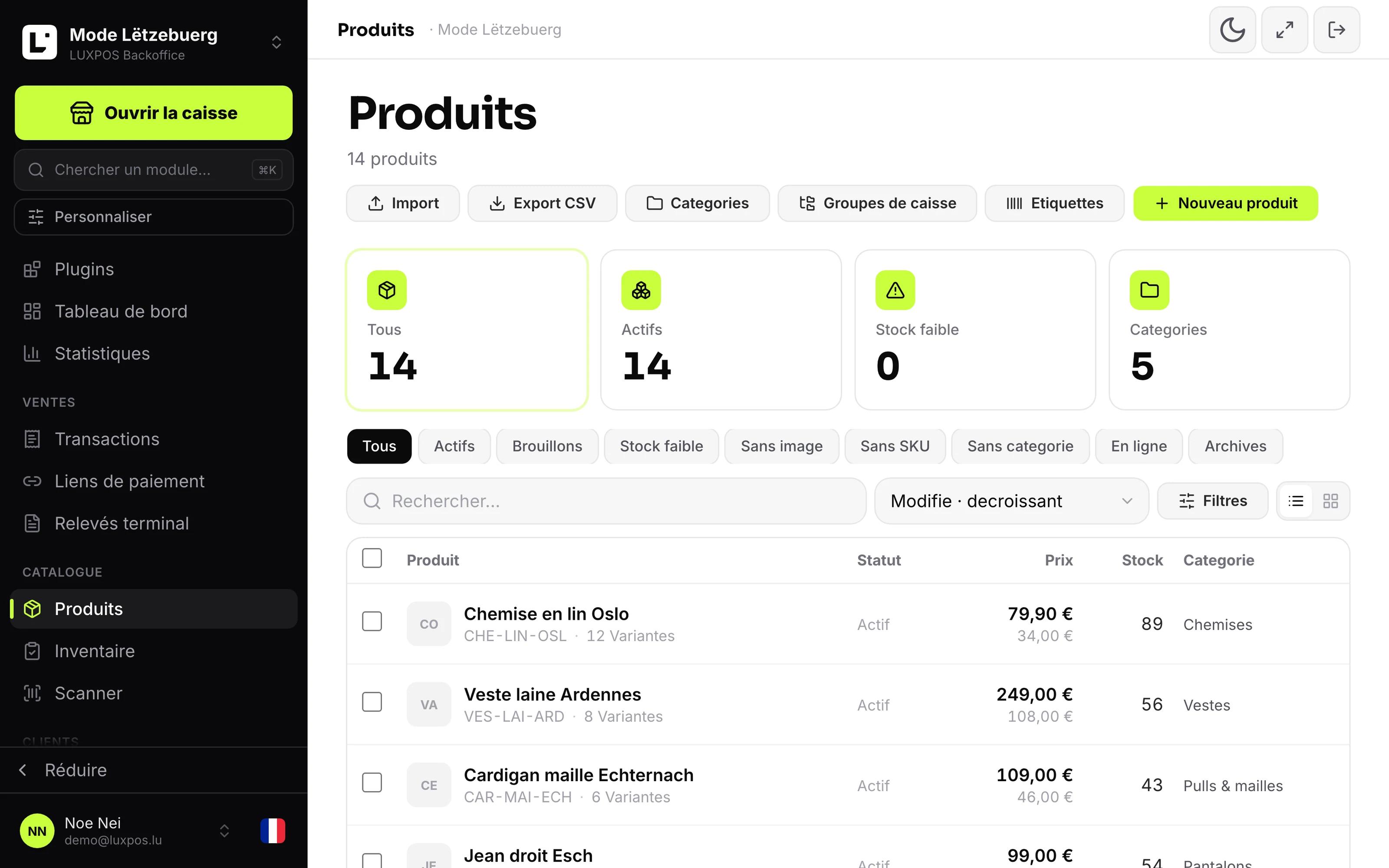
Item list with stock and variants
Stock nobody counts is stock nobody knows
Panic buying at today's price, and the gap between purchase and sale only shows when the profit no longer adds up.
- The annual stocktake eats a whole Sunday and is wrong again by Monday.
- Nobody knows which products have not been counted in months.
- The stock value only surfaces when the accountant asks for it.
- A gap on the shelf is discovered when a customer asks for the item.
Stock becomes a number you can rely on again
You know before the weekend what is missing, and you see per item what it really brings in.
What it looks like in your business
Food cost per dish and the shrinkage nobody would otherwise notice.
Sizes and colours as variants of one item, not as chaos.
Material used up on site and missing from the store.
- Grocers, wine merchants, butchers and boutiques with many references.
- Restaurants and cafés that at least want to track drinks and bottles.
- Multi-branch businesses that need stock per site.
- Any business that has to state a credible stock value at year end.
Getting the stock clean
Every item carries stock, purchase price and supplier. A sale draws down, a delivery tops up. You print labels and barcodes yourself.
Fill in purchase price and stock
A stock value without a purchase price says nothing. The module shows how many product records are still incomplete.
Let the till do the work
Every sale books out the right product in the right branch and writes a line in the movement log.
Count in small helpings
Ten minutes of guided counting, or one scanner pass along a shelf. Over a quarter the whole catalog is covered.
What it looks like in service
Every image comes from a live account — booked receipts, open tables, finished payslips. No drawn mockups.
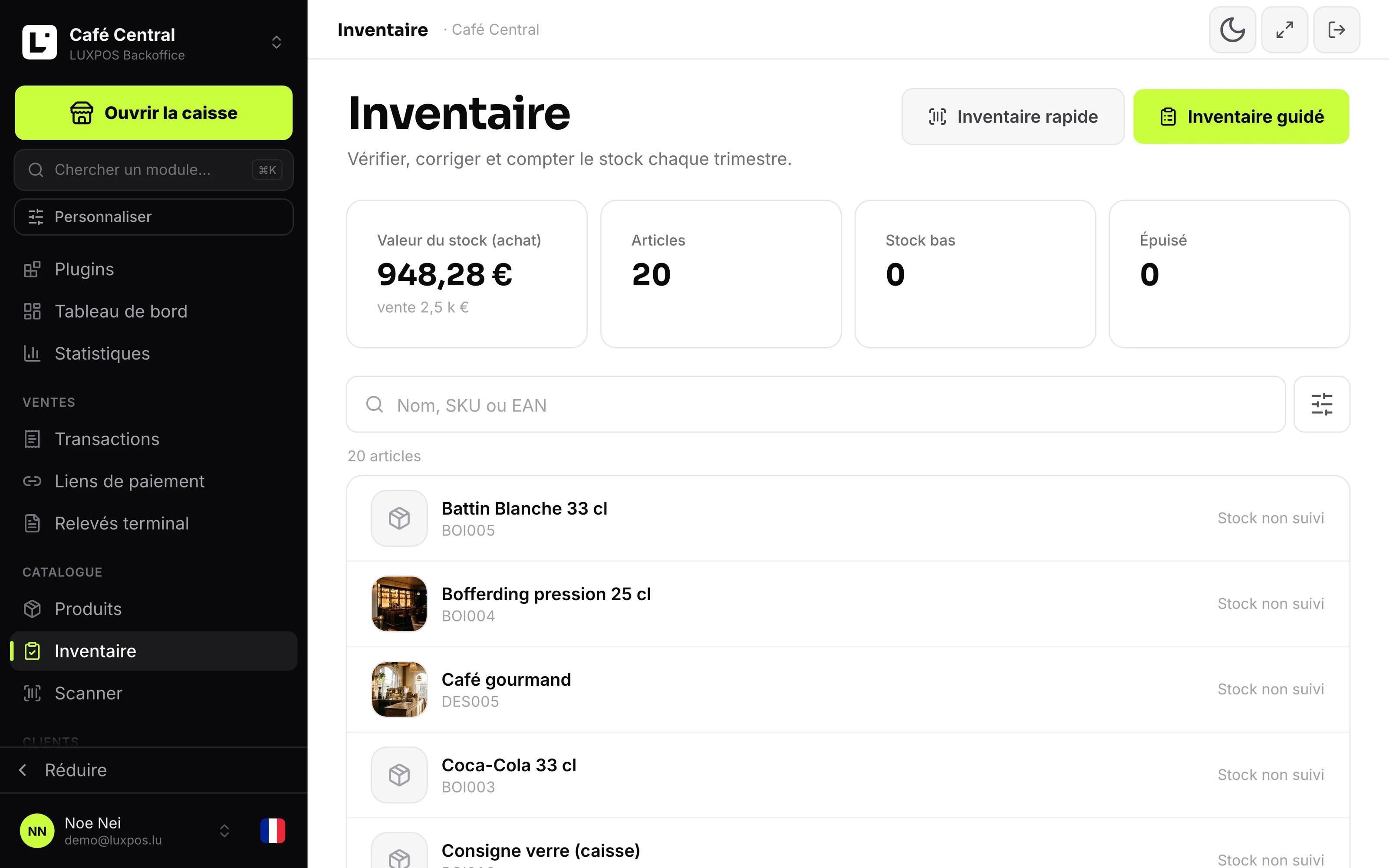
Inventory
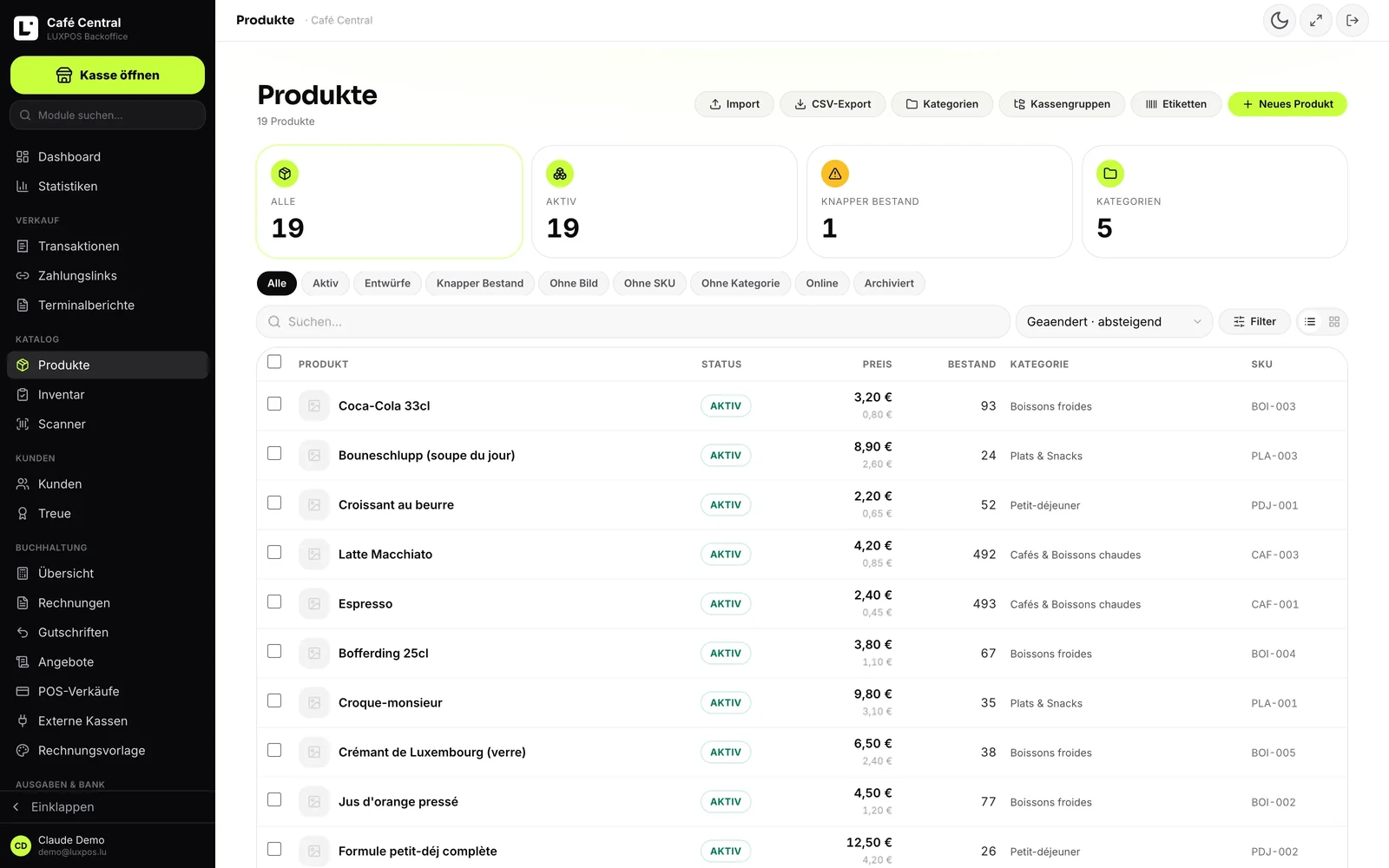
Catalogue
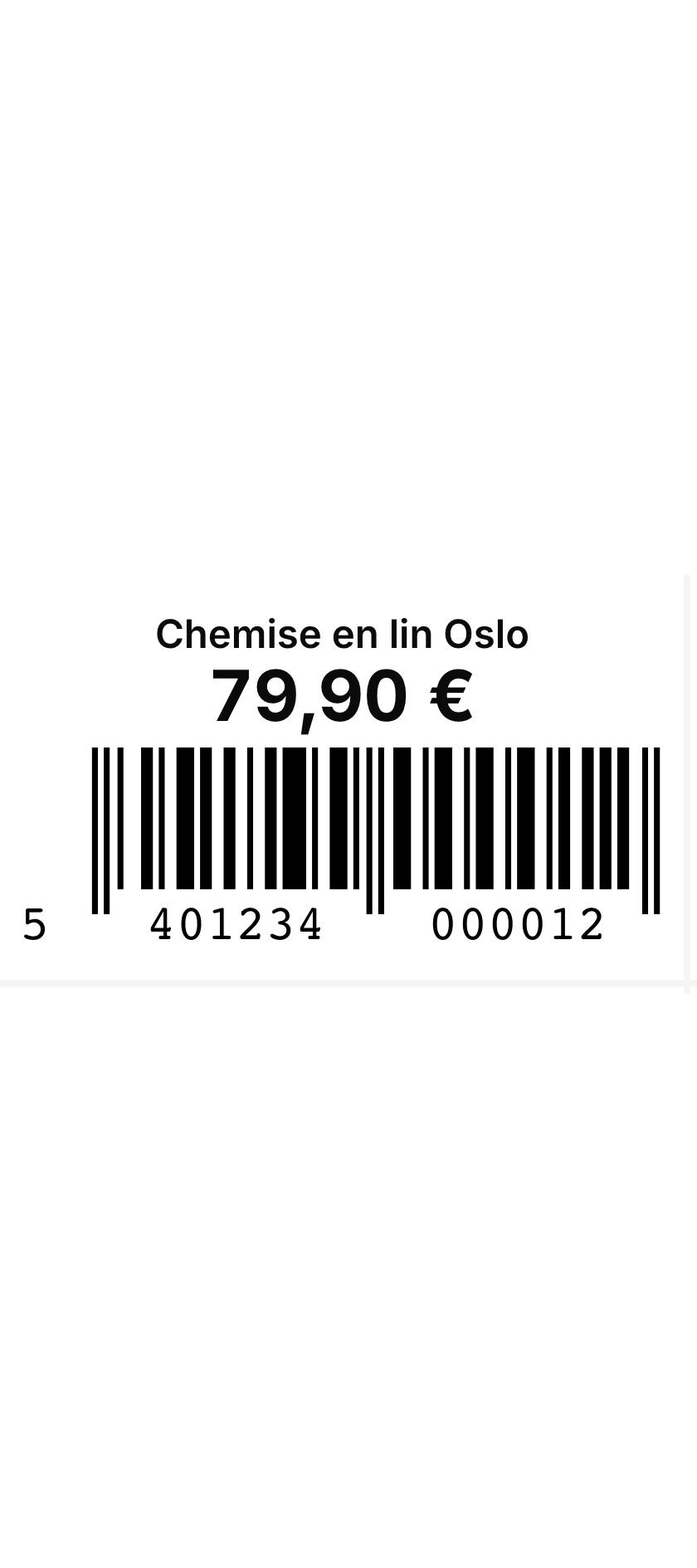
Price label
You know before the weekend what is missing, and you see per item what it really brings in.
Three ways to count, one stock figure
The module sits next to the catalog and the till: every sale books out, every count corrects, and everything leaves a trace.
Stock value, at any moment
Value at purchase price and at selling price, article count, products low on stock and products sold out. The calculation also tells you how many articles have no purchase price, no selling price or no stock recorded, so you know how solid the figure is.
Guided stocktake
LUXPOS puts never-counted products first, then the oldest, and shows the progress for the quarter. Per product: current stock, counted quantity, calculated difference, then save, skip, or mark the product as no longer sold.
Quick count by scanner
Scan the barcode with the phone camera or a handheld scanner, the product appears with its stock, you correct the quantity and the field waits for the next scan.
Stock per branch
Every branch has its own quantity and its own low-stock threshold. Product lists and stock value can be read per branch, and a sale books out of the branch that took the money.
Every movement is traceable
Sale, manual correction or count: every movement keeps the stock before, the stock after, the reason, the person and the time. A discrepancy can be found, not guessed.
Barcode labels
Label printing on Zebra printers: roll or sheet, custom sizes, printer status, a test label and media calibration.
What Luxembourg expects from stock
Stock value is not only a management figure: it goes into the annual accounts, and the nature of the product decides which account the sale lands on.
- Luxembourg VAT rates 17, 14, 8 and 3%, with 17% as the default on a new product record.
- Goods or service: the nature of the product drives the posting under the standard chart of accounts.
- Stock value at purchase price available at any time for the year-end close.
- Amounts shown in Luxembourg format, in French as well as German.
Inventory questions
- Do I have to close the shop to take stock?
- No. The guided stocktake is built for small helpings: LUXPOS queues the products that are due and tracks progress across the quarter. The quick scanner count fixes one shelf in a few minutes.
- Can I scan with a phone?
- Yes. The camera reads EAN and UPC codes, and a USB or Bluetooth handheld scanner works too, because the field behaves like keyboard input.
- How is stock value calculated?
- As a snapshot: quantity times purchase price for the cost value, quantity times selling price for the retail value. There is no FIFO and no weighted average, and the module reports how many records have no price so you know how complete the figure is.
- Can stock go negative?
- Only if you allow it. A business setting lets a sold-out item be sold anyway, which takes the quantity below zero instead of blocking the sale.
- Are there purchase orders and goods receipts?
- No, and we would rather say so: LUXPOS has neither purchase orders nor goods receipt. The supplier is a field on the product record, which lets you group sales and stock value by supplier, not place an order.
- Will I be alerted on low stock?
- Yes, if you switch it on: the email alert is off by default, it fires when a till sale pushes a product below its threshold, and it is not repeated for the same product within twenty-four hours.
The other modules
Take your stock back
We start from your current catalog and show a guided count and a scanner pass on your own products.