

Your accounts, your cash drawer and your invoices in one view
LUXPOS reads your bank movements, proposes which invoice, payout or cash deposit they belong to, and waits for your confirmation before anything counts as paid.
- PSD2 connection, in beta
- CSV and CAMT.053 import
- Nothing is marked paid without you
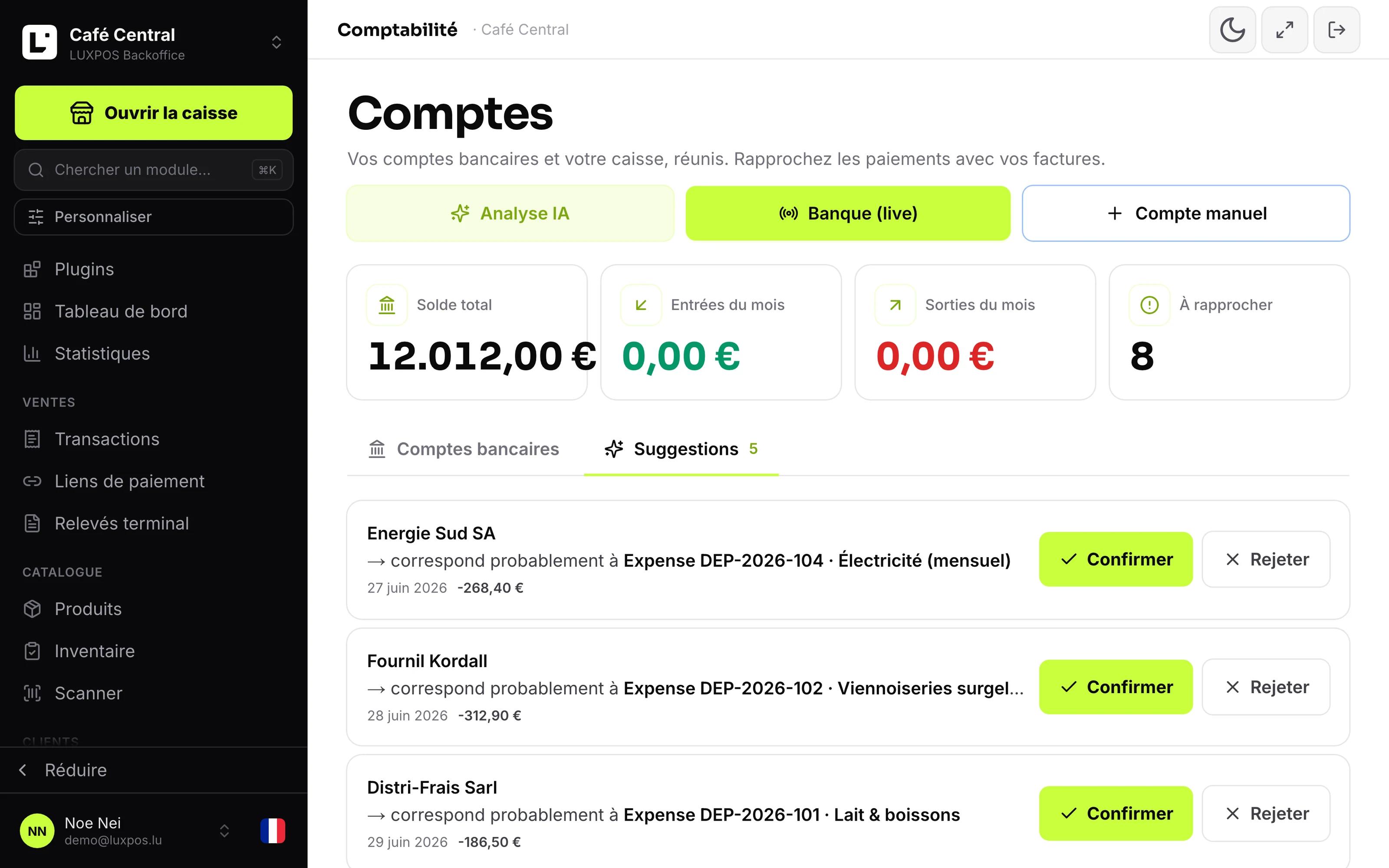
Bank transactions with matching
The statement on one side, the invoices on the other
Either you hunt for hours over a fifty euro difference, or you do not look and notice nothing at all.
- The statement is downloaded, then compared line by line with the list of open invoices.
- A transfer without an invoice number sits unresolved for weeks.
- Payment provider fees mean the payout received never equals the amount taken.
- Cash deposited at the bank hangs off nothing in the accounts.
At month end you are only checking
You see daily what is really in the account, and reconciliation becomes a check instead of a search.
What it looks like in your business
Keep cash and card apart and still arrive at one total.
See the business account, the savings account and the card settlement in one place.
- Businesses that invoice and want to know who has actually paid.
- Restaurants and cafés that take cash to the bank every week.
- Businesses taking card payments that need to find payouts net of fees.
- Independents who prepare the file themselves before it goes to the fiduciaire.
Three steps to a clean month
Connect the bank account, transactions arrive automatically and are matched to invoices, expenses and till days. The cash box runs alongside.
Connect the account or import the statement
A PSD2 connection to your bank, or a CSV or CAMT.053 file. The sync then runs on a schedule and can also be triggered by hand.
Let the matching propose
Recognised incoming payments arrive as suggestions, every other line gets a ranked list of possible counterparts.
Confirm, then close the remainder
You confirm the suggestions that are right, split the mixed lines and settle what is left with a reasoned adjustment.
What it looks like in service
Every image comes from a live account — booked receipts, open tables, finished payslips. No drawn mockups.
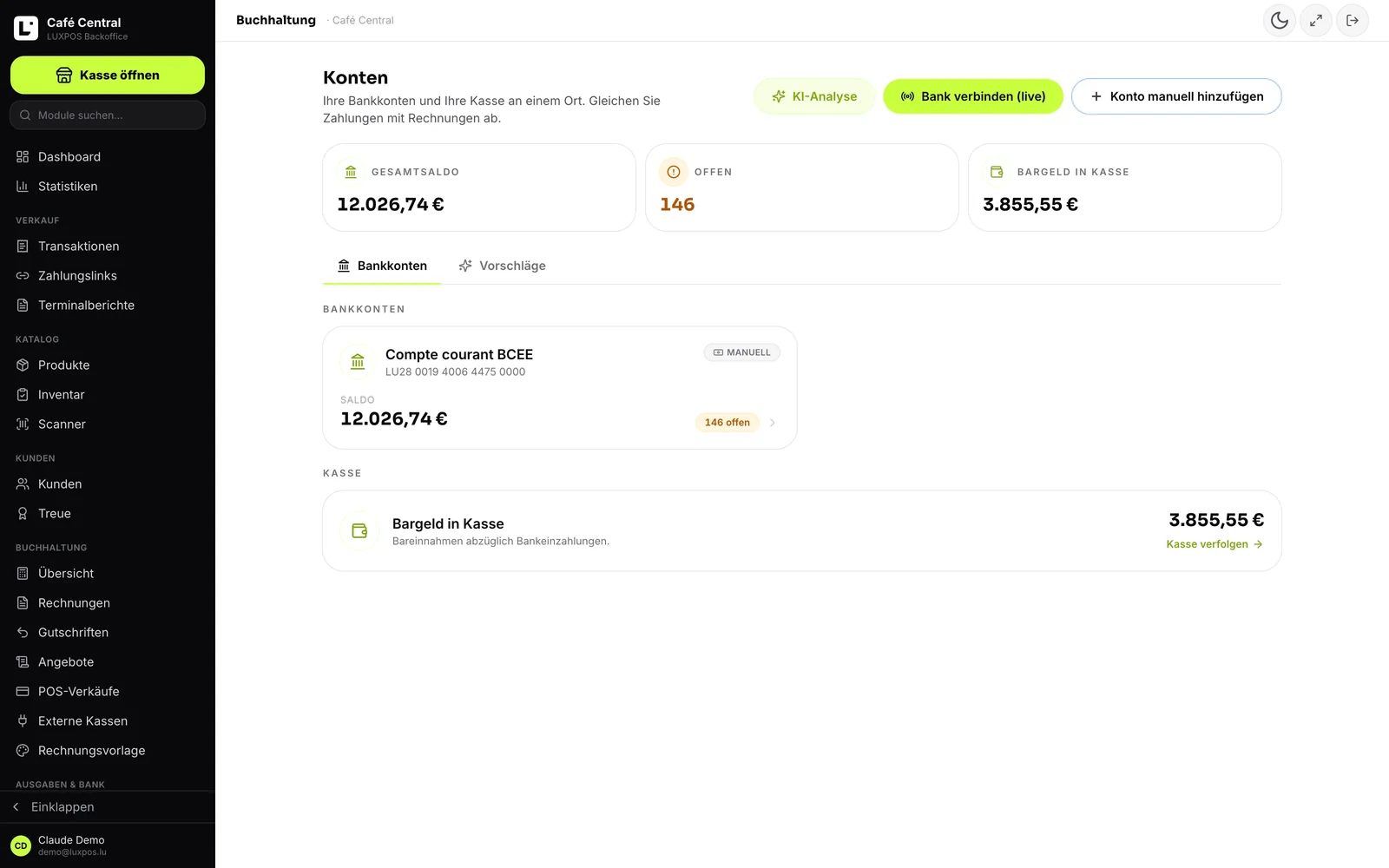
Banking
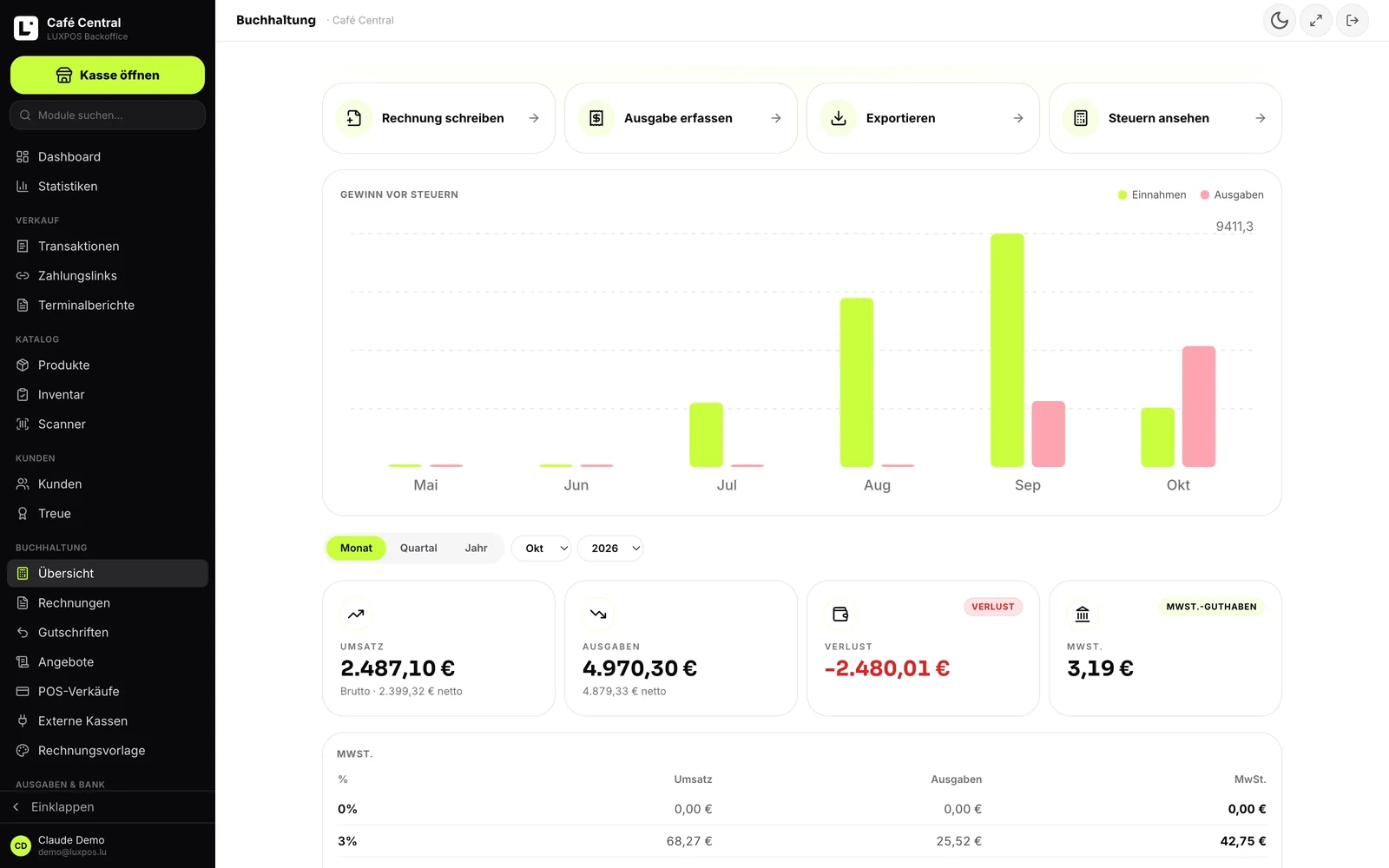
Accounting
Read the movements, propose, then let you decide
The module is called Accounts: your bank accounts and your cash together, with payments reconciled against your invoices.
Connect the bank
PSD2 account information through a licensed provider: you pick your bank, you are redirected to it, and you come back. LUXPOS never sees your banking credentials. A second provider is in place to cover BIL, a Stripe balance can be followed like an account, and an account may stay manual. The live connection is labelled beta inside the product.
Import a statement
CSV and CAMT.053. The format is detected on its own, amounts are normalised, every line gets a stable identifier and duplicates are dropped. The import tells you how many lines came in, how many were already there and how many found their counterpart.
Automatic matching
On incoming payments, in a strict order, first hit wins: the payment reference printed on the invoice, then an invoice number recognised in the remittance text together with the amount, then a LUXPOS payout (amount within two cents, arrival within three days, provider fee booked), then a pending cash deposit (two cents, five days). Tolerance is one cent and an overpayment is accepted.
A suggestion first, your approval second
An automatic match is written as a suggestion. It marks no invoice paid and counts in no balance until you confirm it. A machine error therefore never becomes an accounting error.
One line, several allocations
A movement can be split across an invoice, a till transaction, an expense, a cash deposit, a payout, an adjustment or an internal transfer. It is settled when the split adds up, and a target cannot be allocated twice. A remainder is closed with a reasoned adjustment, an expense can be created straight from a debit with its receipt, and a transfer between your own accounts is marked as such so it never counts twice.
The cash side counts too
Cash on hand from till takings minus deposits, a chronological cash book with a running balance exportable as CSV or XLSX, and cash deposits that move from pending to matched with their slip reference.
Built for the banks here
In Luxembourg the first question is always whether your own bank is on the list. The module answers it with two providers instead of one, and it states openly under whose licence it operates.
- A second provider exists for one reason, to cover BIL.
- The bank picker ships the logos of the Luxembourg banks and of the fintechs merchants here actually use.
- LUXPOS holds no account information licence of its own and does not need one: the connection runs under its providers' licences.
- Your banking credentials never pass through LUXPOS, you enter them at your bank.
Banking questions
- Do my banking credentials pass through LUXPOS?
- No. You are redirected to your bank, you authenticate there, and you come back with a read authorisation. LUXPOS neither sees nor stores your credentials.
- Which statement formats can I import?
- CSV and CAMT.053. MT940 is not supported, and we would rather say so up front.
- Can LUXPOS pay my suppliers?
- No. The connection is read only: no SEPA credit transfer file, no payment initiation, no supplier payment run. Payments still happen in your bank.
- Is the balance shown the one my bank reports?
- No. It is computed from the transactions that were imported or synced, converted into one currency at the reference rate of the booking date. If the import is incomplete, so is the balance.
- Are expenses matched automatically?
- The automatic chain only covers incoming payments. A debit gets amount-based suggestions against your expenses and you decide. There is no rules engine, no learning and no memory of counterparties.
- What is the reconciliation analysis?
- A list of what is still missing, built by deterministic rules, with a severity per item and an XLSX or PDF export. An AI model can annotate the list, but the list appears with or without it.
The other modules
See the reconciliation on your own statement
Bring a CSV or CAMT.053 statement and a handful of open invoices, and we will show you what the machine proposes and what it leaves alone.