

Who is late, what goes out next, and on what terms
LUXPOS marks invoices overdue, works out the next reminder level and shows you what stands in the way before anything is sent. You chase by hand, or let the eight o'clock run do it.
- Three levels, three tones
- Letters in French, German and English
- A record of every send
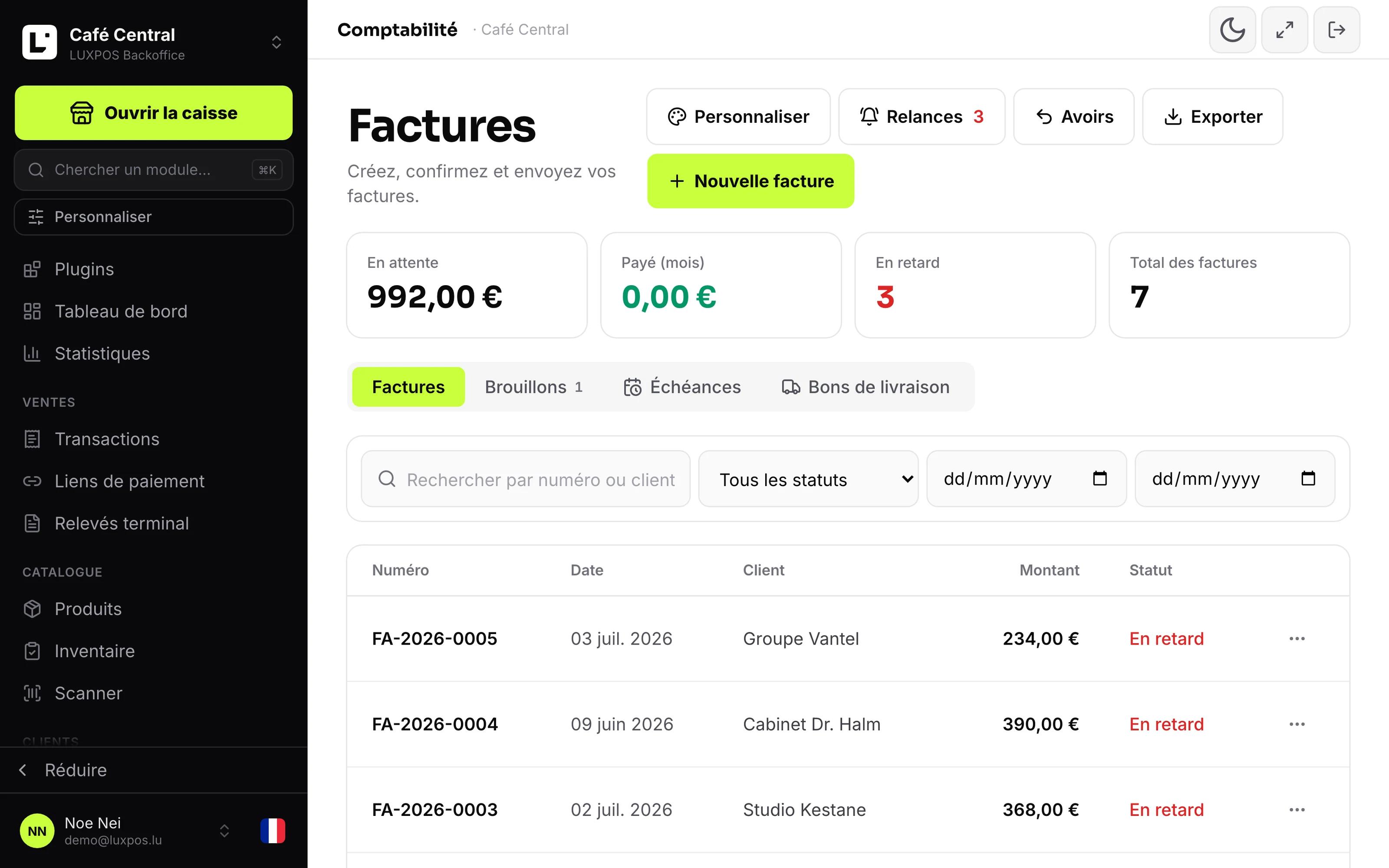
Invoice list with open, paid and overdue status
Unpaid invoices get chased when someone remembers, which is never the right moment
The accounting firm bills every hour it spends sorting, and mistakes only surface after the annual accounts.
- Overdue invoices are chased when somebody remembers, so rarely.
- Nobody knows whether a customer has already been reminded, or at which level.
- The reminder goes out in the wrong language, and the tone is the same on the first and the third.
- A customer who was granted extra time gets a reminder anyway.
Books that build themselves while you sell, and an export the accounting firm does not have to re-sort.
What it looks like in your business
Write, send and chase an invoice without needing an accounting firm for it.
Three VAT rates on one receipt and a day close that matches the drawer.
The accepted quote becomes the invoice, with nothing retyped.
- Businesses and tradespeople invoicing companies on payment terms.
- Wholesalers and suppliers with many invoices open at once.
- Service providers who want to chase politely first and firmly later.
- Any business that has to prove a reminder really went out.
Setting up reminders
Quotes and invoices in your own design, dunning levels automatically, Luxembourg VAT rates prepared, an export for the accountant.
Set your rules
Grace period, delays and fees per level, late interest at your rate, default language, reply-to address and blind copy.
Look at the list
Defer a good customer, exclude a disputed invoice, leave a note. Whatever is blocked stays visible with its reason.
Send, or let it send
Chase one invoice or a selection by hand, or switch on the eight o'clock run. Either way the record fills up.
What it looks like in service
Every image comes from a live account — booked receipts, open tables, finished payslips. No drawn mockups.
Invoices
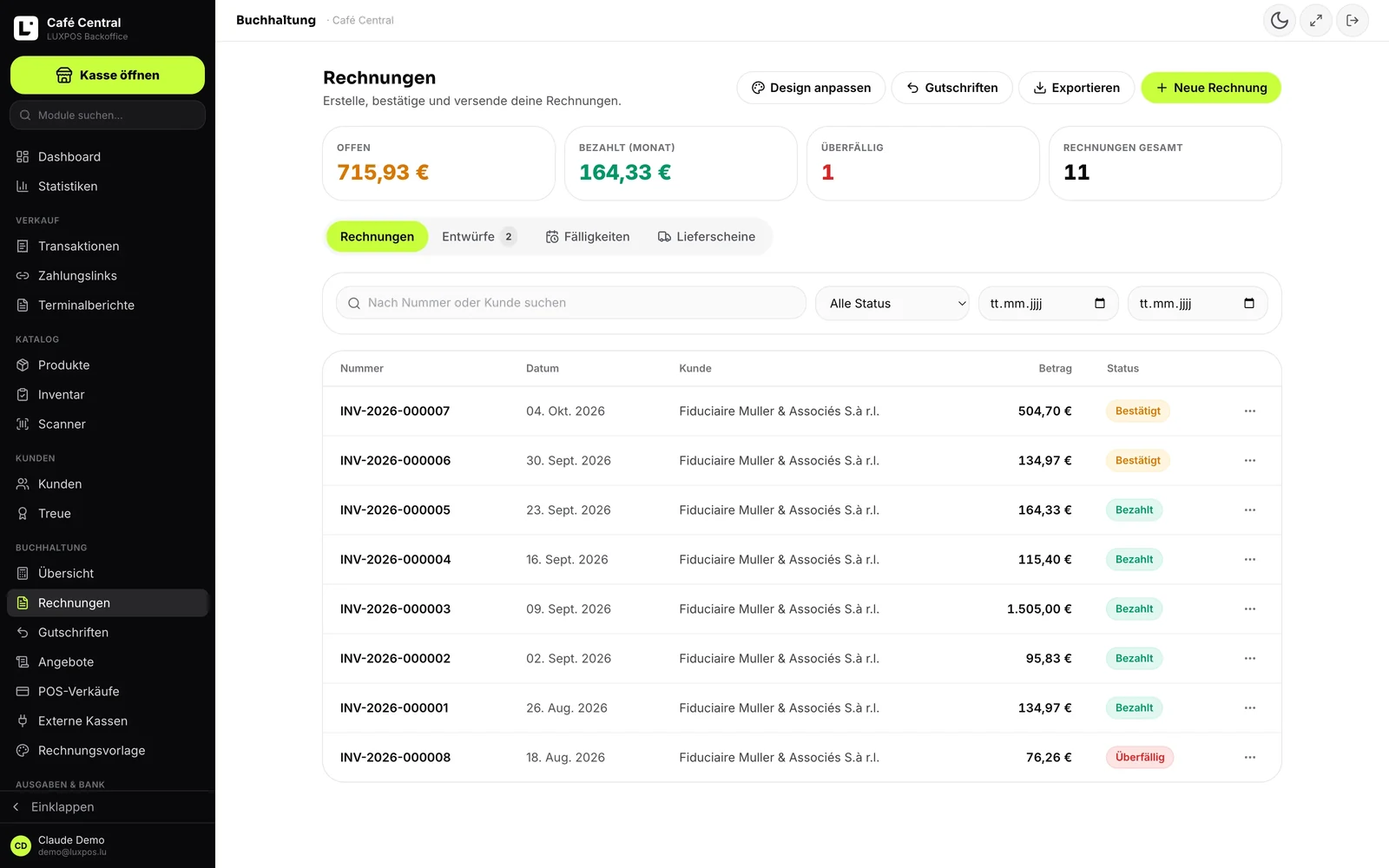
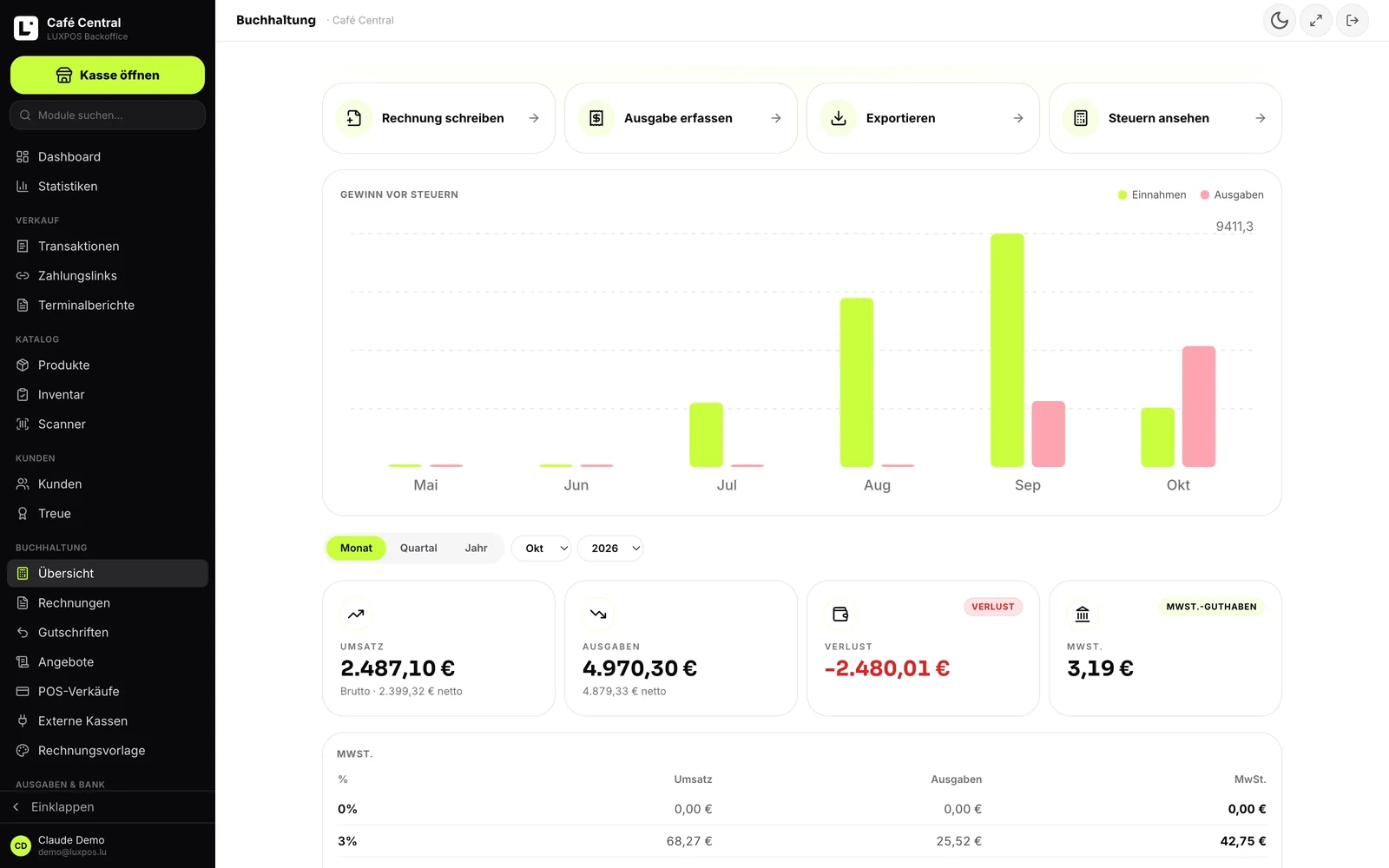
Accounting
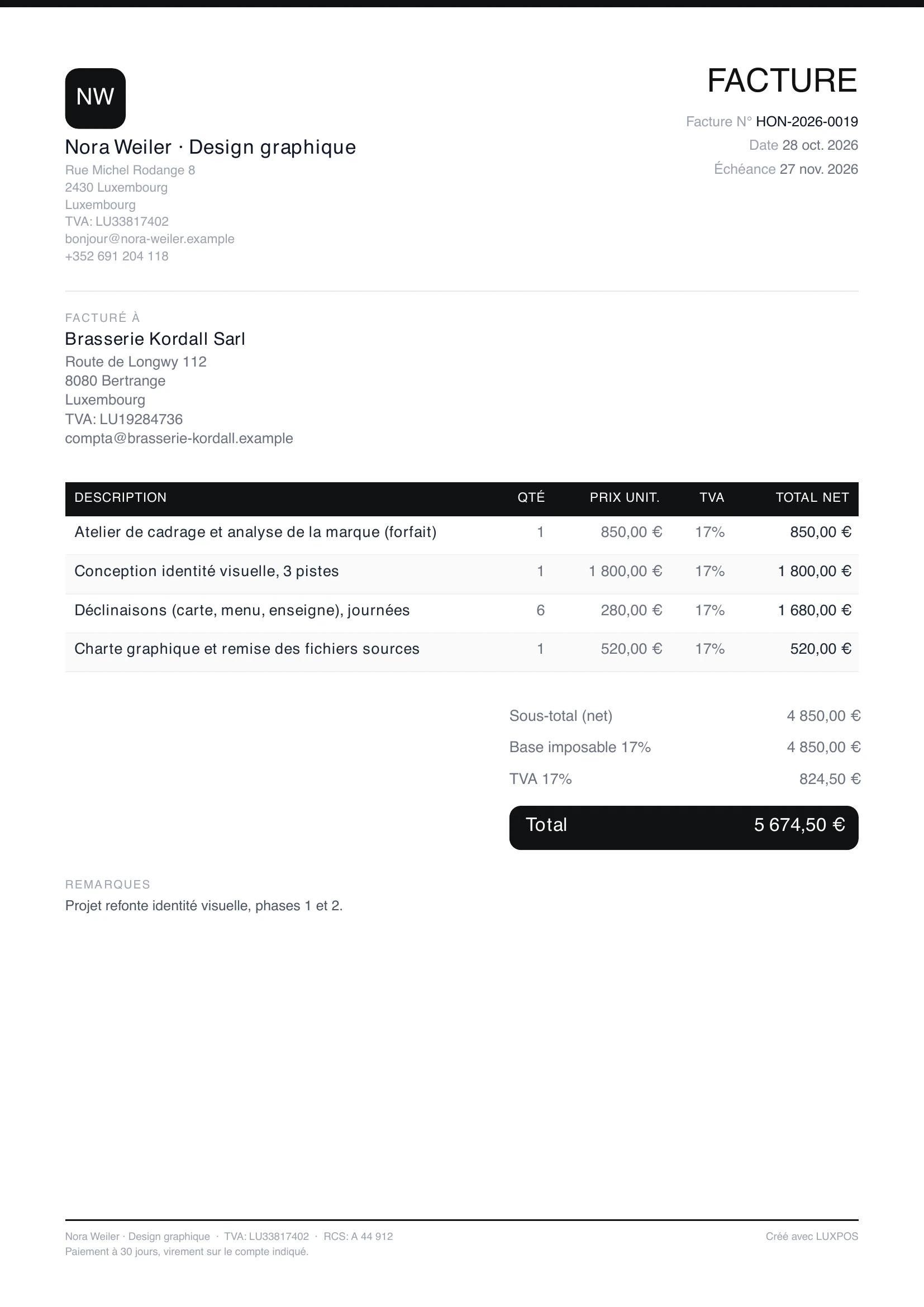
A freelancer's invoice
Books that build themselves while you sell, and an export the accounting firm does not have to re-sort.
Chasing as a routine, not a chore
The module sits next to the invoices: it takes the due dates, applies your rules and keeps the record of what went out.
The list of what is due
Open invoices past the grace period, with the next reminder level already worked out. At the top of the page: overdue invoices, reminded invoices and the total open balance.
Manual or automatic
In manual mode the list proposes and you send each reminder yourself. In automatic mode the run sends the due reminders at eight in the morning. Automatic sending is off by default, but marking due invoices as overdue happens daily either way.
Three levels, three tones
Up to six levels, each with its own delay after the due date and its own fee. By default: a reminder at seven days, a formal notice at twenty-one days, a final notice before recovery at thirty-five days. The letters exist in French, German and English, and the language follows the customer's country.
Blockers are shown, not ignored
Invoice excluded from dunning, payment deferred to a date, no email address on the document, partial payment to be checked by hand: LUXPOS names the reason instead of sending silently. You can force the send knowingly.
Fees and late interest
A fee per level and pro-rata daily late interest at your own rate. The email shows a table with the fee, the interest and the total. Worth knowing: these amounts are text in the reminder, they are not booked anywhere and do not increase the invoice.
The record that proves it
Every reminder keeps the level, the recipient, the subject, the status, and the amount due, fee, interest and days overdue frozen at the moment it was sent. The level only advances after a successful send, so the next one never builds on a failed attempt.
Fitted to Luxembourg
Two details matter here: the customer's language, and the statutory interest rate, which has no business being hard-coded in software.
- Letters in French, German and English, because the invoice carries the customer's language.
- Language chosen from the customer's country, otherwise the business default, usually French.
- The late interest rate is not hard-coded: in Luxembourg the statutory rate follows the ECB rate and changes twice a year, so you enter your own.
- The daily run starts at eight in the morning, Luxembourg time.
Reminder questions
- Do reminders go out on their own?
- Only if you switch automatic sending on, and it is off by default. Otherwise the list proposes and you send yourself. In both cases the reminder goes by email: there is no postal letter and no SMS.
- Which language is the reminder sent in?
- The letters exist in French, German and English. The language is chosen from the customer's country, and failing that from the default language you set for the business.
- Can I give a good customer more time?
- Yes. You defer the invoice to a date, or exclude it from dunning permanently, with a note explaining why. The invoice stays visible in the list with its blocking reason.
- Are reminder fees and interest invoiced?
- No. They appear in the email as a table with a total, but they are neither added to the invoice nor booked. If you want to collect them, you have to invoice them separately.
- Is a partially paid invoice chased?
- Never automatically. It shows as blocked, because the remaining amount has to be checked by hand before a reminder goes out carrying a figure.
- Can I prove a reminder was sent?
- Yes. Every send is recorded with its level, recipient, subject, status and the amounts as they stood at the time. A customer claiming they were never reminded is contradicted by the record.
The other modules
Bring in what you are owed
We set the levels with you and go through your current open invoices before the first reminder goes out.