

The guest orders at the table. The till knows at once.
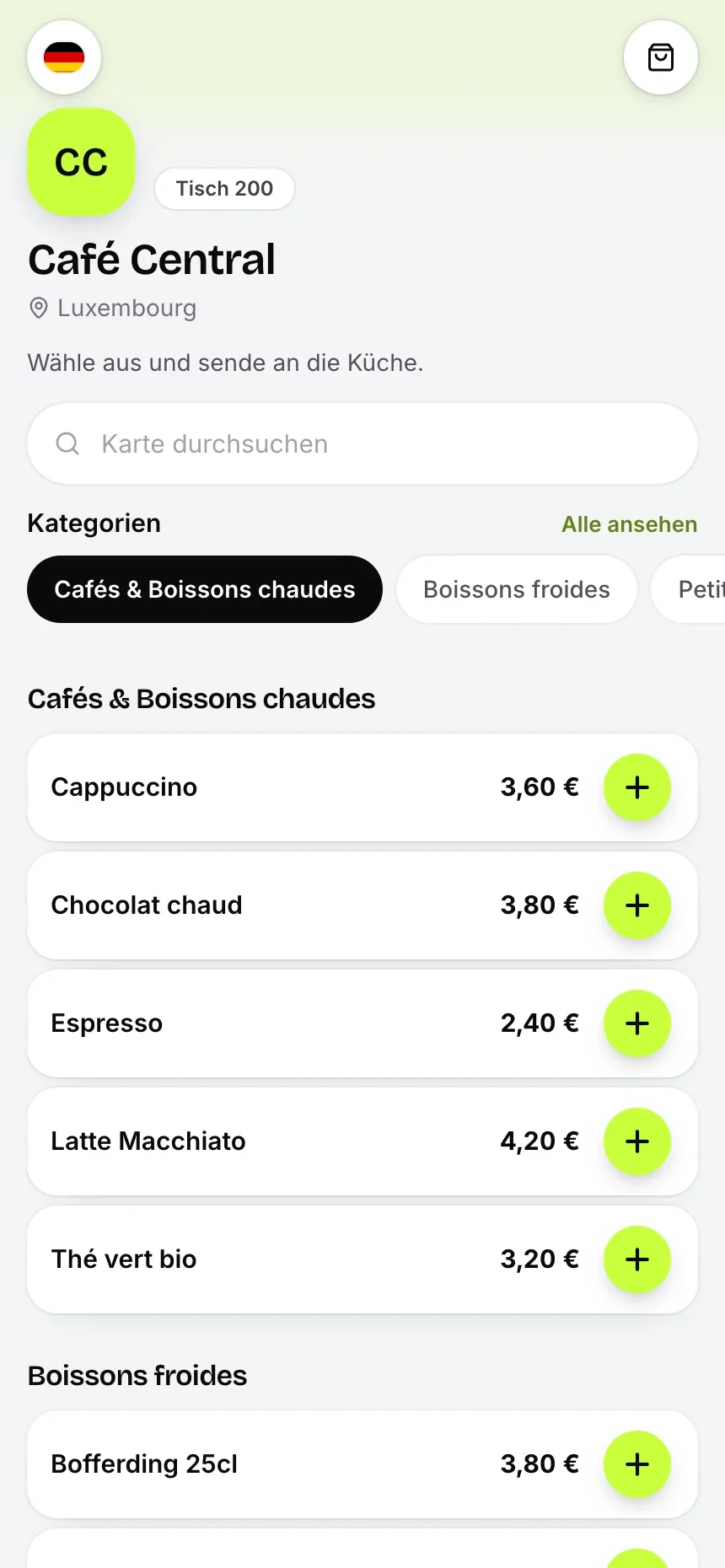
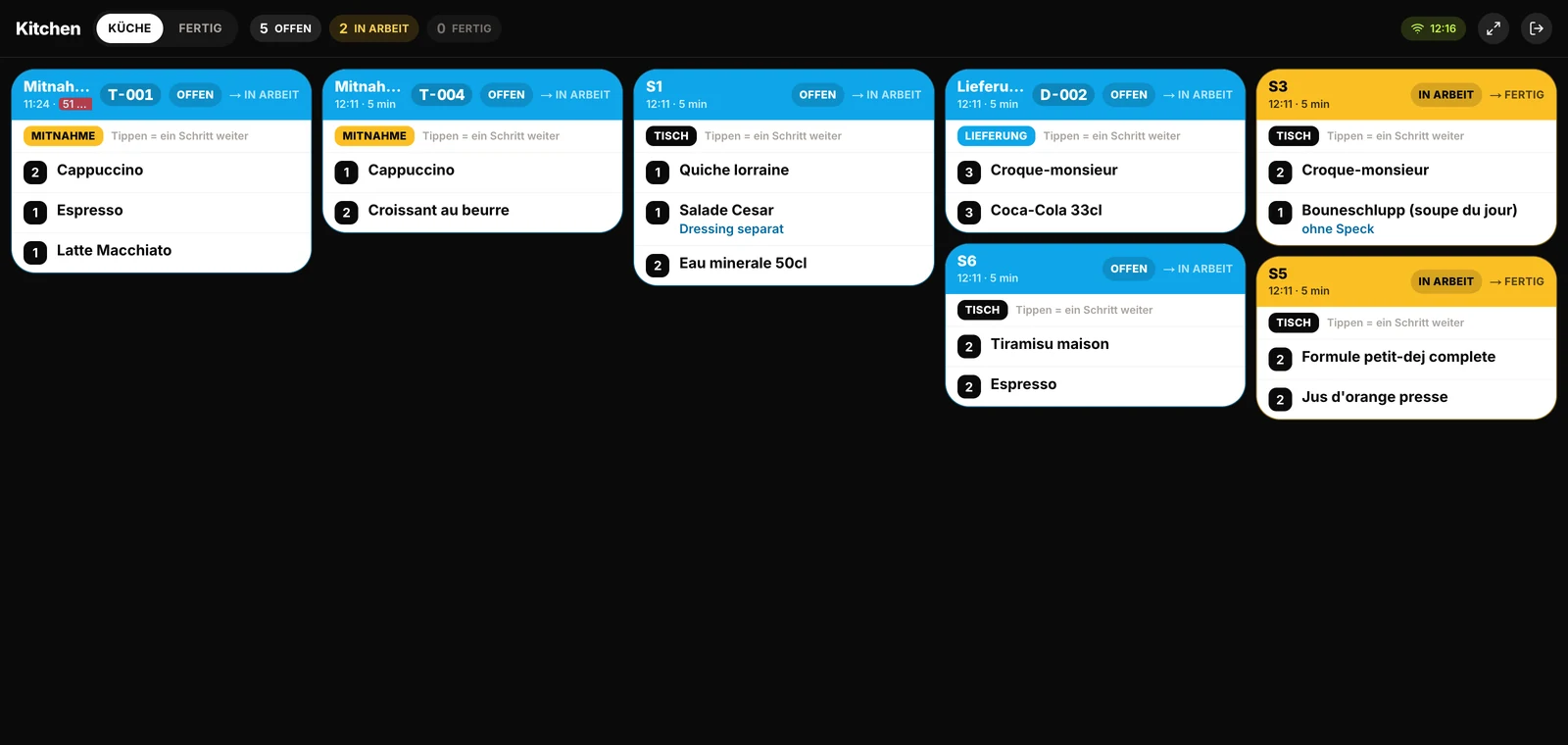
One QR code on the table and the guest sees the menu on their phone: photos, descriptions, allergens. They order themselves, staff approve, the order shows up in the till and on the kitchen ticket.
What it looks like in service
Every image comes from a live account — booked receipts, open tables, finished payslips. No drawn mockups.
Guest menu
Kitchen
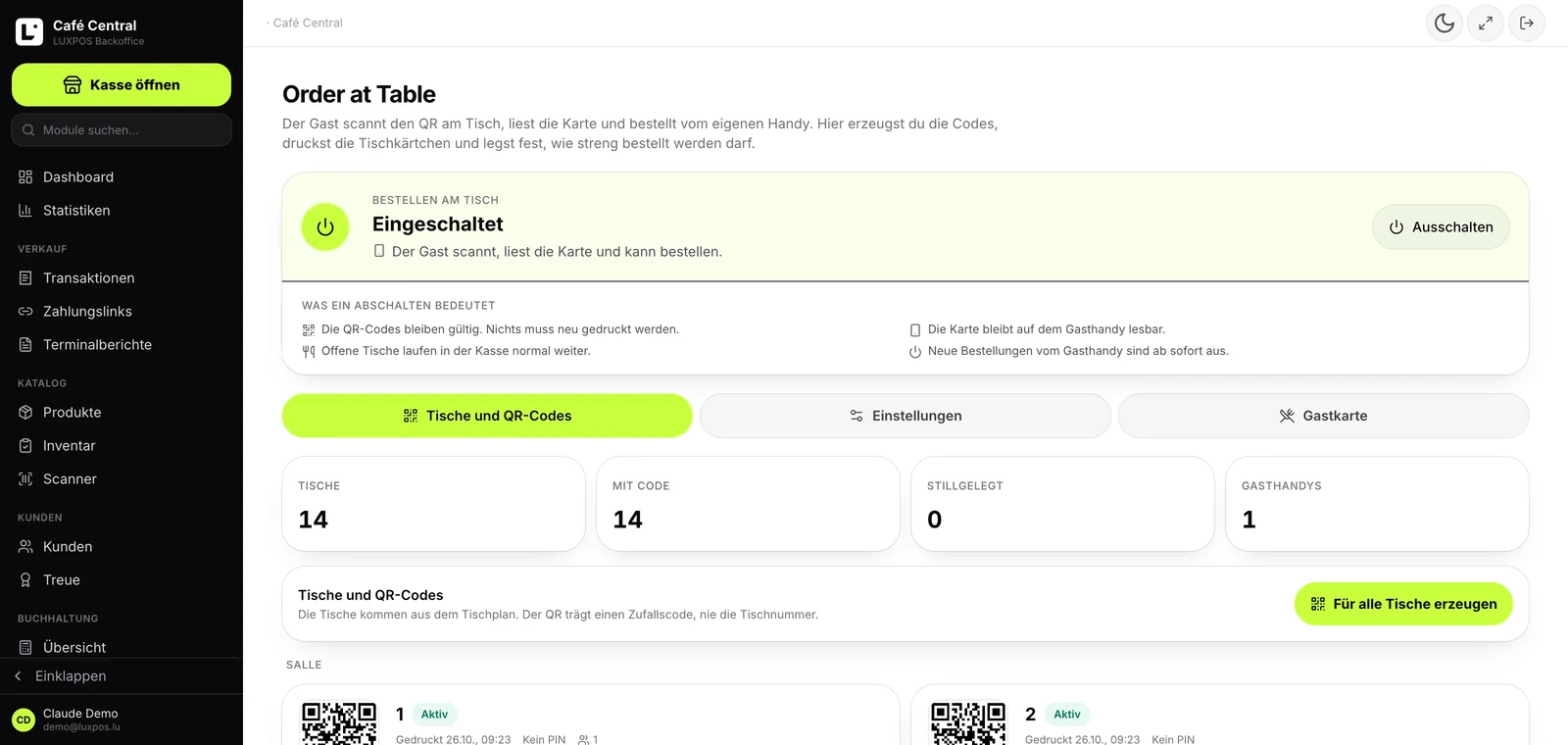
Order at Table
What happens at the table
Four steps, none of them a download. The QR code carries a token, never the table number.
What Order at Table gives you
Protection against prank orders
The serious question about QR ordering: what if somebody at the next table orders 30 bottles of champagne? Order at Table has seven brakes, and the defaults are already strict.
Every limit is re-checked server-side when an order is sent. The copy of the settings on the guest's phone is never trusted.
Kitchen and bar kept apart
An order with two beers and a burger belongs in two places. Order at Table uses the same preparation stations as the till, so you set them up once.
- Routing per item: every item hangs off its station (bar, kitchen, dessert, whatever you create)
- Each station picks its own output: kitchen display (KDS), ticket printer or both
- The ticket only goes out once the order is approved
- Tickets carry the table label, quantities and item notes
- Network printer or a printer on the till PC, configured per location
What it costs
Order at Table is not an add-on and costs nothing extra. It belongs to the till and is included in these two plans:
- LUXPOS Register (POS): 59 EUR / month
- LUXPOS One: 99 EUR / month
What we are building right now
Pay-at-Table
Letting the guest pay at the table and leave 5, 10 or 15 percent tip is planned and already present in the configuration. It is not built yet. Today the guest orders by QR code and pays at the till.
Table stands and stickers made in Luxembourg
Ordering finished QR signs from the back office: a 3D-printed table stand or a sticker, colour and magnet of your choice, card payment, invoice issued automatically. Printed in Luxembourg. Not orderable yet. The QR codes themselves are free, and you can print the table cards as a PDF whenever you like.
Frequently asked questions
Does the guest need an app?
No. The menu is an ordinary web page. Camera on the QR code and the guest is in. No account, no password, no download.
Can somebody from outside order nonsense?
By default a staff member has to approve the first order of every guest, and every guest session is capped at 150 EUR with at most 8 lines per order. On top of that you can require a four-digit code from the table card and a location radius. The QR code also carries a random token, not a table number.
Where does the order land?
On the open table in the till, on the same bill the staff are working on. In parallel the ticket goes to the station that prepares the item: kitchen display, ticket printer or both.
Do I have to maintain my menu twice?
No. The guest menu reads your till catalogue: categories, prices, images, descriptions and allergens. You maintain one menu, not two.
Can the guest pay at the table?
Not today. Pay-at-table with tipping is planned and present in the configuration but not built yet. Payment happens at the till.
Which plan includes Order at Table?
LUXPOS Register (POS) at 59 EUR per month and LUXPOS One at 99 EUR per month. No surcharge and no fee per order.
Put the QR code on the table?
Account in a few minutes, 14 days free. Order at Table is already in the till, all you need are table cards.